
Optenni Lab version 6.3 is released now!

Posted by Jussi Rahola | 8 May 2026

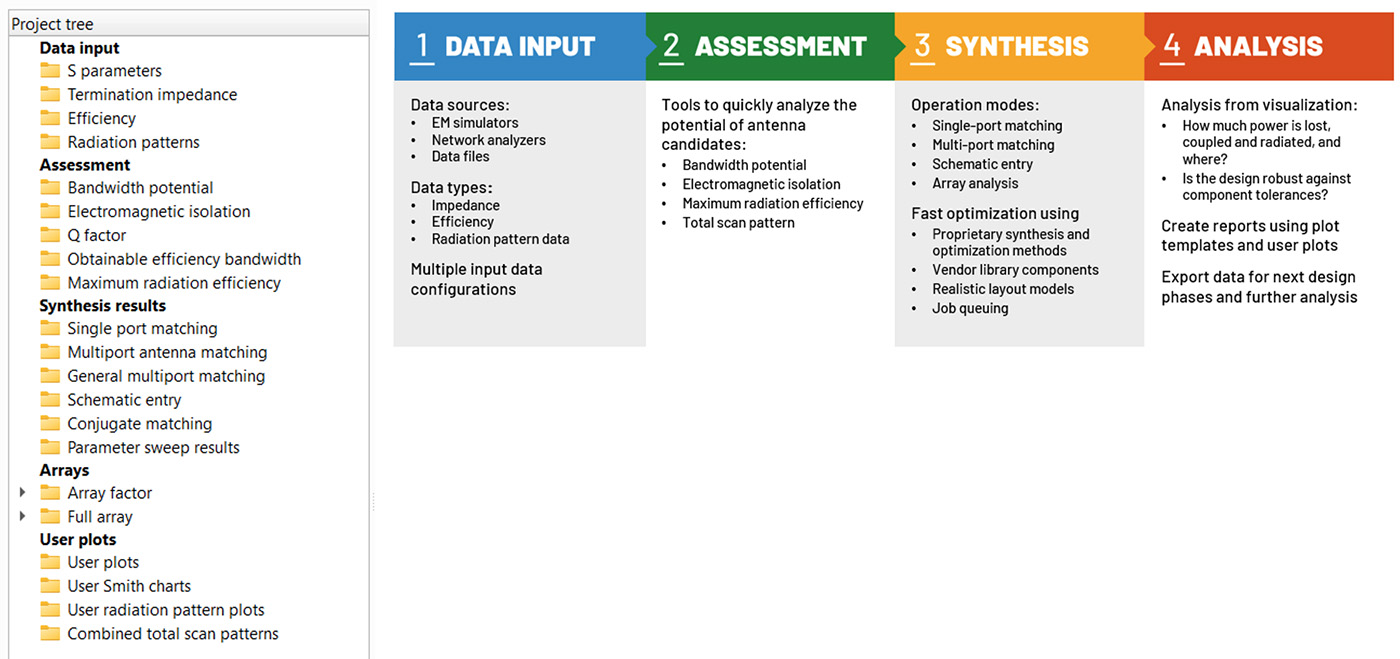
We have once again taken significant steps in the development of Optenni Lab. The goal of all this work is to serve our customers even better. A great user experience plays an important role. Now we have improved and clarified the user interface in accordance with the Optenni Lab design flow. In addition, all simulations and optimizations are clearly faster.

Try for yourself how we have succeeded in this development work by downloading the new updated version Optenni Lab 6.3 or register for a free trial.

Key changes in Optenni Lab 6.3: 

All editions

  • The result tree items are now grouped according to the design flow
  • New Analysis menu has been introduced
  • The current selection of results plots can be copied and pasted between projects and saved/loaded from a file

Professional edition

  • The Schematic Entry dialog has new controls for zooming and panning

Array module

  • Switchable beam optimization
  • Total scan pattern results can be shown using various plot types
Other changes in Optenni Lab 6.3:
  • All computations are now faster
  • Synthesis results can be automatically re-optimized until the solution does not change
  • The right click menu item “Modify matching settings” has been changed to “Modify simulation settings”
  • The name “Frequency configurations” has been changed to “Optimization configurations”
  • In the Optenni Lab Job Control Center, the jobs can be scheduled to start at a desired time
  • The Optenni Lab Job Control Center shows the cost function value after the optimization
  • Circuits synthesized using Schematic Entry can be exported to HFSS
  • The Optenni Lab floating license can be released while keeping Optenni Lab open
  • The excitations created by the total scan pattern analysis can be stored in CST codebook format
  • In array analyses, the definition of the main lobe width has been changed – now the width is calculated along the great circles of the spherical geometry


The result tree items are now grouped according to the design flow.
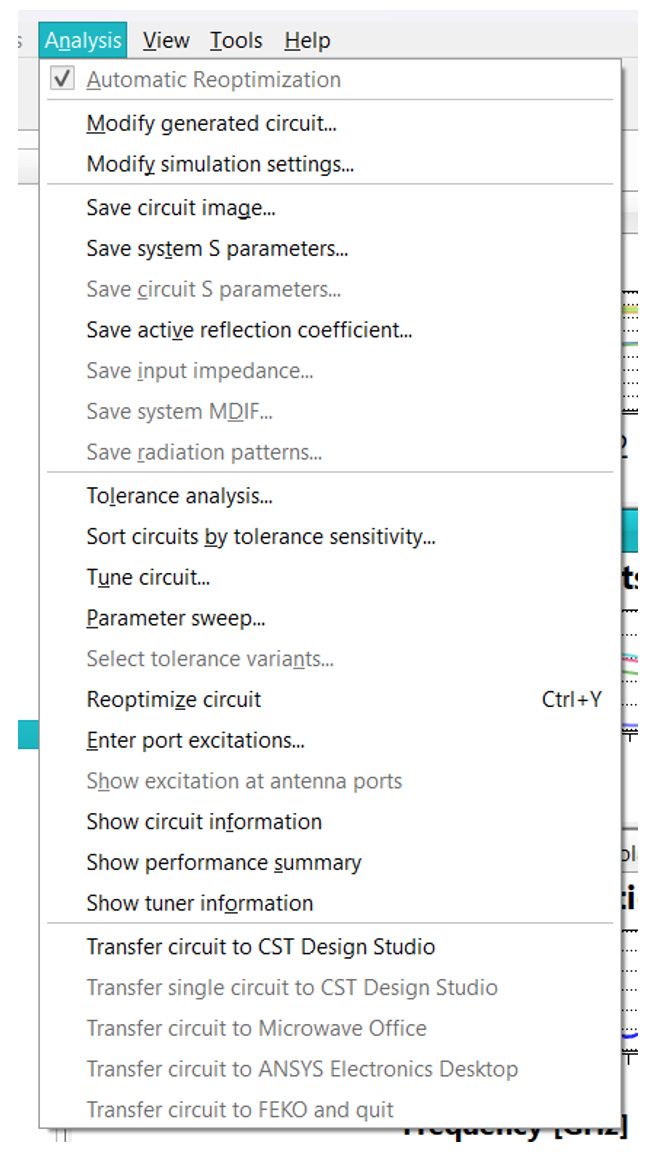
The new Analysis menu shows many of the actions what were available for the synthesis results when right clicking the circuits.
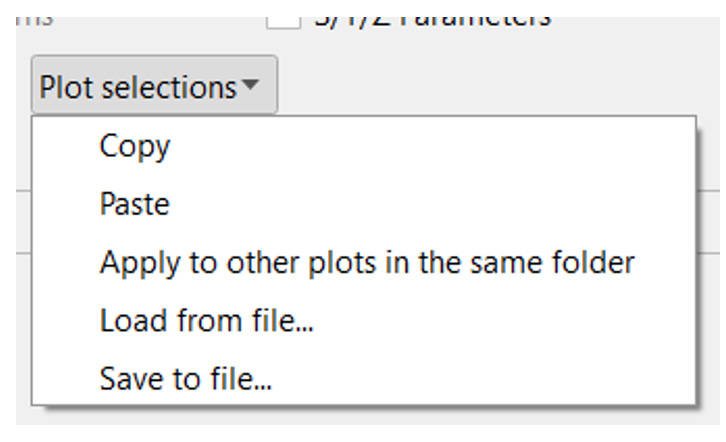
In Optenni Lab 6.2 we added a functionality to copy and paste plot selections within the same project.
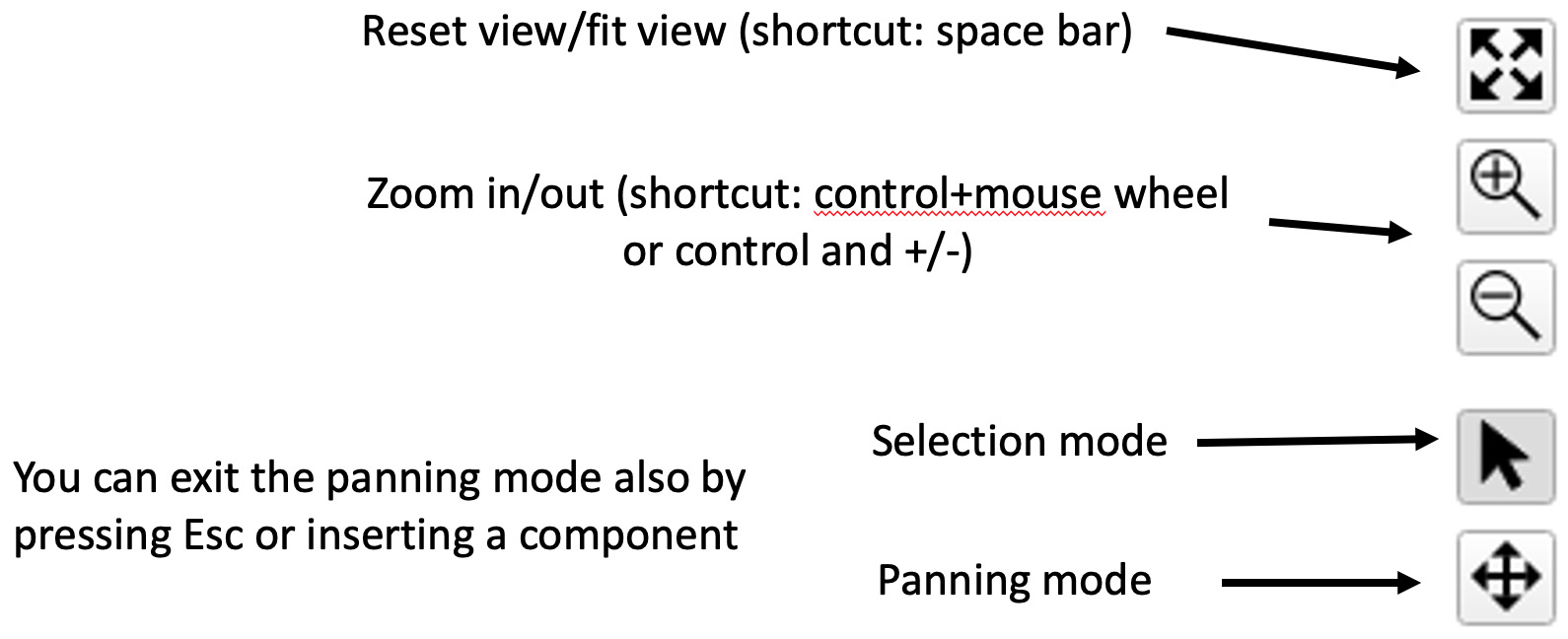
The schematic editor has new controls for zooming and panning.

Ready for a free Optenni Lab trial?
Contact us for a product demo and further information on the latest Optenni Lab features